LlamaIndex is a data framework for LLM applications. It loads your files, splits them into nodes (chunks with text, IDs, relationships, and metadata), embeds them, and gives you indexes, retrievers, and query engines for answering questions over that data. Milvus plugs in as the vector store through MilvusVectorStore in the llama-index-vector-stores-milvus package. LlamaIndex decides what to store and how to query it. Milvus persists the vectors and metadata and runs the filtered similarity or hybrid search.
One naming trap catches people early. LlamaIndex’s VectorStoreIndex is an application object, not a Milvus index. The physical ANN index inside Milvus (HNSW, IVF, AUTOINDEX, and so on) is configured separately through index_config. When retrieval is slow or misses results, check both layers.
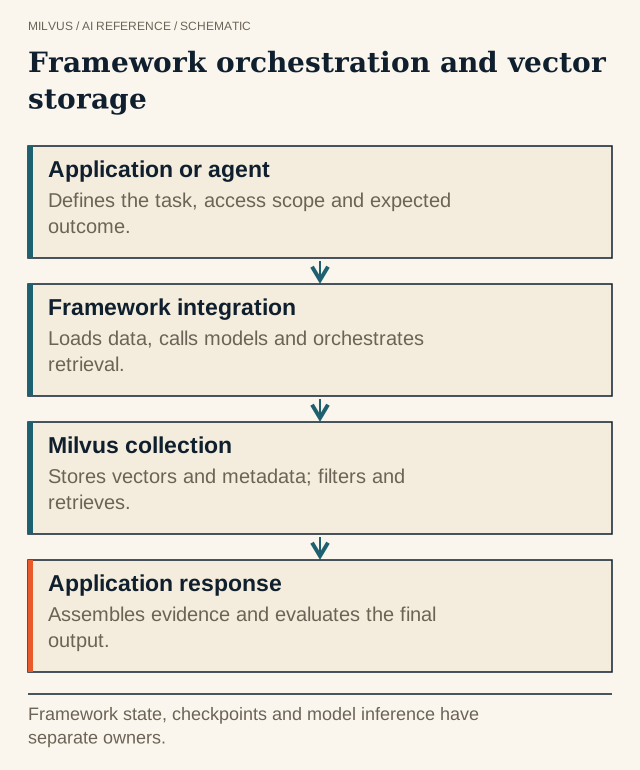 Framework orchestration and vector storage. Framework state, checkpoints and model inference have separate owners.
Install the integration
pip install llama-index llama-index-vector-stores-milvus llama-index-embeddings-openai
Pass a local file path as uri (for example ./milvus_llamaindex.db, which is also the package default) to run Milvus Lite in-process for experiments. For a shared deployment, use a server address such as http://localhost:19530, or a Zilliz Cloud endpoint plus token.
A minimal LlamaIndex + Milvus vector store
from llama_index.core import Settings, SimpleDirectoryReader, StorageContext, VectorStoreIndex
from llama_index.embeddings.openai import OpenAIEmbedding
from llama_index.vector_stores.milvus import MilvusVectorStore

Settings.embed_model = OpenAIEmbedding(model="text-embedding-3-small")  # 1536 dims

vector_store = MilvusVectorStore(
    uri="http://localhost:19530",
    token="root:Milvus",
    collection_name="product_docs",
    dim=1536,                      # must match the embedding model
    similarity_metric="COSINE",    # IP (default), COSINE or L2
    overwrite=False,               # True drops the existing collection
)

documents = SimpleDirectoryReader("./docs").load_data()
storage_context = StorageContext.from_defaults(vector_store=vector_store)
index = VectorStoreIndex.from_documents(documents, storage_context=storage_context)

query_engine = index.as_query_engine(similarity_top_k=5)
print(query_engine.query("How do I rotate an API key?"))
To reconnect later without re-ingesting, build the store with the same collection_name and overwrite=False, then call VectorStoreIndex.from_vector_store(vector_store).
The arguments that cause most production surprises:
| Argument | Default | Why it matters |
|---|---|---|
dim | none | Required for a new dense collection. A mismatch with the embedding model fails on insert. |
similarity_metric | IP | Use the metric your embedding model was trained for. See how cosine, IP, and L2 differ. |
overwrite | False | True drops and recreates the collection. Use it only in notebooks. |
consistency_level | Session | Use Strong if a test reads its own writes from a different client. |
index_config / search_config | {} | Choose the Milvus index (for example HNSW) and its search parameters. |
collection_properties | none | Set collection-level options such as collection.ttl.seconds or mmap.enabled. |
How do metadata filters work with MilvusVectorStore?
Every document’s metadata travels with its nodes. The integration creates the collection with Milvus’s dynamic field enabled, so metadata keys are stored without declaring a schema first. At query time, LlamaIndex MetadataFilters are translated into a Milvus filter expression and applied inside the search:
from llama_index.core.vector_stores import FilterOperator, MetadataFilter, MetadataFilters

filters = MetadataFilters(filters=[
    MetadataFilter(key="product", value="billing", operator=FilterOperator.EQ),
    MetadataFilter(key="version", value=["3.1", "3.2"], operator=FilterOperator.IN),
])
retriever = index.as_retriever(similarity_top_k=5, filters=filters)
nodes = retriever.retrieve("Why was my invoice charged twice?")
for n in nodes:
    print(n.node.ref_doc_id, n.score, n.node.metadata.get("file_name"))
The adapter supports the common comparison operators (EQ, NE, GT, GTE, LT, LTE, IN, NIN) along with CONTAINS, ANY, ALL, TEXT_MATCH, and IS_EMPTY. When an expression is easier to write by hand, pass a raw Milvus expression through vector_store_kwargs={"string_expr": 'product == "billing"'}. Explicit filters take precedence if you supply both. Server-side filtering keeps top_k meaningful. For the performance side, see how metadata filters interact with vector search.
Hybrid search with LlamaIndex and Milvus
Set enable_sparse=True and Milvus adds a BM25 sparse field that it computes from the stored text. No separate sparse model runs in your application. Then ask the query engine for hybrid mode:
hybrid_store = MilvusVectorStore(
    uri="http://localhost:19530",
    token="root:Milvus",
    collection_name="product_docs_hybrid",
    dim=1536,
    enable_sparse=True,                 # default sparse function: Milvus built-in BM25
    hybrid_ranker="RRFRanker",          # or "WeightedRanker"
    hybrid_ranker_params={"k": 60},     # WeightedRanker expects {"weights": [dense, sparse]}
    overwrite=True,                     # demo only
)
index = VectorStoreIndex.from_documents(
    documents, storage_context=StorageContext.from_defaults(vector_store=hybrid_store)
)
engine = index.as_query_engine(vector_store_query_mode="hybrid", similarity_top_k=5)
Built-in BM25 needs Milvus Standalone, Distributed, or Zilliz Cloud (Milvus 2.5 or later). Milvus Lite does not support it. To customize tokenization, pass sparse_embedding_function=BM25BuiltInFunction(analyzer_params=...) from llama_index.vector_stores.milvus.utils. The adapter can also store learned sparse vectors such as BGE-M3 instead of BM25. For when the extra keyword signal helps, see what hybrid search is.
Updating and deleting documents
LlamaIndex tracks which nodes came from which source document through ref_doc_id. To replace a changed file, delete its old nodes, then insert the new version:
index.delete_ref_doc("docs/api-keys.md", delete_from_docstore=True)
index.insert(new_document)  # Document with a stable id_, e.g. its path
At the store level, vector_store.delete(ref_doc_id) removes every node for a document, and delete_nodes(node_ids=[...]) removes specific chunks. Re-indexing a new copy without deleting leaves the old chunks searchable next to the new ones. This is a common reason a RAG app cites outdated text. Give each Document a stable id_ (a path or database key) so updates can find it. More patterns are in handling incremental updates.
Where tuning effort pays off
Framework choice matters less than ingestion decisions. Chunk size, overlap, and which metadata you extract change what a query can find. LlamaIndex’s node parsers and node relationships make it easy to try alternatives, and Milvus makes it cheap to keep several collections side by side while you compare them on the same question set. Measure Recall@k and citation correctness on that set before tuning the Milvus index itself. Start with how to choose chunk size for RAG.
When you outgrow the wrapper (for example, you need several dense fields, custom scalar indexes, or bulk import), you can create the collection with PyMilvus and point MilvusVectorStore at it with matching embedding_field, text_key, and doc_id_field names.
Next steps
Work through RAG with Milvus and LlamaIndex, then the hybrid search tutorial. If you need a server, start with the Milvus Quickstart, or use Zilliz Cloud for a managed endpoint that takes the same uri and token.
Related reading
- How do you choose an AI framework for a Milvus application?
- What does LangChain do, and how does it use Milvus?
- How do you choose a vector index for your workload?
- How do you evaluate retrieval quality?