Dify is an open-source platform for building LLM applications, such as chatbots, agents, and workflows, through a visual interface. Its Knowledge feature turns uploaded documents into retrievable context. When you self-host Dify, you choose which vector database stores that context, and Milvus is one of the supported backends. Responsibilities divide cleanly. Dify manages the documents, chunking, embedding calls, indexing jobs, retrieval settings, and app permissions. Milvus stores the chunk vectors and text and runs the vector, full-text, and hybrid searches that Dify’s retrieval node asks for.
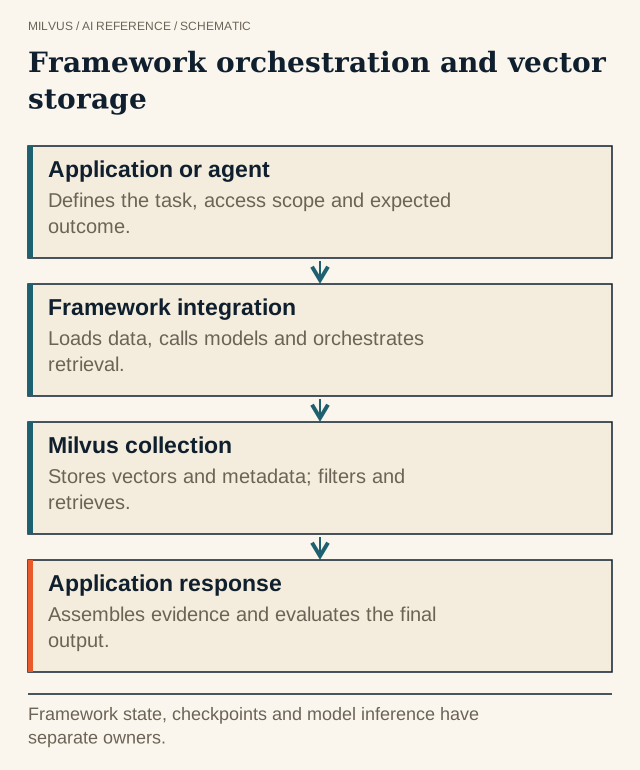 Framework orchestration and vector storage. Framework state, checkpoints and model inference have separate owners.
How to configure Dify to use Milvus
Milvus is configured with environment variables in Dify’s Docker Compose deployment. Changing them means editing configuration, not writing application code.
git clone https://github.com/langgenius/dify.git
cd dify/docker
cp .env.example .env
Then set these values in .env:
VECTOR_STORE=milvus
MILVUS_URI=http://host.docker.internal:19530
MILVUS_TOKEN=root:Milvus
MILVUS_DATABASE=default
MILVUS_ENABLE_HYBRID_SEARCH=true
Start the stack:
docker compose up -d
In current Dify releases, COMPOSE_PROFILES is derived from VECTOR_STORE, so setting VECTOR_STORE=milvus also starts the bundled milvus-standalone, etcd, and minio containers. The Milvus guide’s explicit docker compose --profile milvus up -d does the same thing. The bundled Milvus has authorization turned on (MILVUS_AUTHORIZATION_ENABLED=true), so Dify needs credentials. MILVUS_TOKEN takes user:password, or you can set MILVUS_USER and MILVUS_PASSWORD. The default URI goes through the host’s published port 19530 via host.docker.internal. If your Docker setup does not resolve that name, which is common on Linux, point MILVUS_URI at an address the api and worker containers can reach.
To use an existing Milvus cluster or Zilliz Cloud instead, set MILVUS_URI to its endpoint and MILVUS_TOKEN to its token or API key. The bundled containers are then unnecessary.
The full list of Milvus variables is in Dify’s environment reference:
| Variable | Default | Purpose |
|---|---|---|
MILVUS_URI | http://host.docker.internal:19530 | Milvus or Zilliz Cloud endpoint |
MILVUS_TOKEN | empty | user:password or a Zilliz Cloud API key |
MILVUS_USER / MILVUS_PASSWORD | empty | Alternative to a token |
MILVUS_DATABASE | empty | Milvus database that holds Dify’s collections |
MILVUS_ENABLE_HYBRID_SEARCH | false | Adds a BM25 sparse field for full-text and hybrid retrieval |
MILVUS_ANALYZER_PARAMS | empty | Text analyzer settings for that BM25 field |
MILVUS_SECURE, MILVUS_SERVER_PEM_PATH, MILVUS_SERVER_NAME | false / empty | One-way TLS to Milvus |
Two details save a lot of debugging. First, MILVUS_ENABLE_HYBRID_SEARCH only works on Milvus 2.5 or later, because it uses Milvus’s built-in BM25 function, and it only applies to collections created after you turn it on. A knowledge base indexed earlier has no sparse field, so Dify logs a warning and full-text search returns nothing until you re-index. Second, VECTOR_STORE applies to new knowledge bases. A dataset that already has an index keeps its stored backend, so switching the variable does not migrate existing data.
What Dify manages inside a knowledge base
Once Milvus is connected, the Dify UI drives everything. Create a knowledge base, upload files or sync a source, and choose:
- Chunking. Pick general chunks or parent-child chunks, with separator, maximum length, and overlap. This decides what a single Milvus record contains. See how to choose chunk size for RAG.
- Index method. High Quality calls your embedding model and stores vectors in Milvus. Economical builds a keyword index of 10 keywords per chunk and uses no embedding tokens. You can upgrade a knowledge base from Economical to High Quality, but not back.
- Embedding model. This fixes the vector dimension of the collection. Changing models later requires re-embedding every document. See how to choose an embedding model.
- Retrieval setting. High Quality offers vector search, full-text search, and hybrid search. Hybrid combines both, either with semantic and keyword weights or with a rerank model. Top K defaults to 3, and score threshold (default 0.5) drops weak matches.
Each knowledge base maps to its own Milvus collection, with names derived from Dify’s VECTOR_INDEX_NAME_PREFIX. You can inspect a collection with Attu or PyMilvus to confirm that chunks, dimensions, and counts match what the UI reports.
Testing retrieval before you build the app
Dify includes a Retrieval Testing panel for each knowledge base. Use it before wiring the knowledge base into a workflow. Try a handful of questions whose correct source you know, compare vector, full-text, and hybrid modes, and adjust Top K and the threshold. Include exact-match queries such as error codes, SKUs, and names. Those are where enabling Milvus BM25 hybrid search makes the biggest difference. See what hybrid search is.
Then test the parts a demo skips:
- Updates and deletes. Replace a document, then confirm the old chunks no longer appear in retrieval tests or in the Milvus collection count.
- Failed ingestion. Upload a malformed file and check that Dify reports the failure instead of leaving a partially indexed document.
- Access. Dify’s workspace and app permissions decide who can use a knowledge base. Milvus credentials only control Dify’s own connection. If different users must see different documents, model that with separate knowledge bases or apps rather than relying on prompts. See how authentication, RBAC, and tenant filters protect Milvus applications.
Operating Dify with Milvus in production
The bundled milvus-standalone is convenient for a single host. For larger corpora or high availability, point Dify at a Milvus cluster or Zilliz Cloud and keep Dify stateless apart from its own Postgres and file storage. Back up all three together. Dify’s metadata database knows which documents and segments exist, Dify’s storage holds the original files, and Milvus holds the vectors. Restoring one without the others leaves knowledge bases that list documents they cannot retrieve. Watch embedding-job failures in Dify and query latency in Milvus separately, and pin Dify and Milvus image versions so an upgrade is a deliberate, tested step.
Next steps
Follow Deploying Dify with Milvus for the full walkthrough. If you would rather not run Milvus yourself, create a Zilliz Cloud cluster and set its endpoint and API key as MILVUS_URI and MILVUS_TOKEN. To learn Milvus itself, start with the Milvus Quickstart.
Related reading
- How do you choose an AI framework for a Milvus application?
- What is retrieval-augmented generation (RAG)?
- What is reranking, and when should you apply it?
- How should you plan backup and recovery for a vector database?