Haystack, the open-source framework from deepset, builds LLM applications as pipelines of typed components: converters, splitters, embedders, retrievers, rankers, prompt builders, and generators, connected output-to-input. Milvus joins a Haystack pipeline through the milvus-haystack package, which provides MilvusDocumentStore plus three retrievers: dense (MilvusEmbeddingRetriever), sparse or BM25 (MilvusSparseEmbeddingRetriever), and hybrid (MilvusHybridRetriever). You usually build two pipelines. An indexing pipeline turns files into embedded documents and writes them to Milvus. A query pipeline embeds the question, retrieves from Milvus, and passes the documents to a generator.
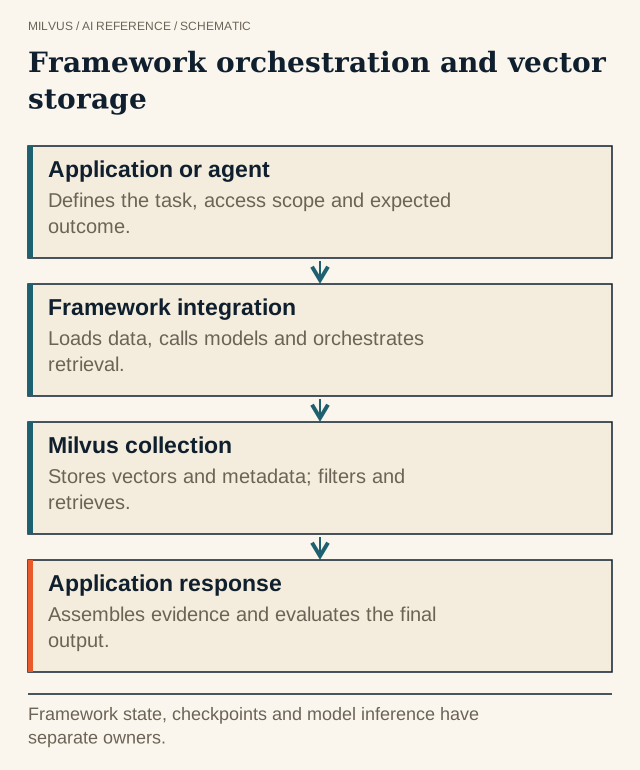 Framework orchestration and vector storage. Framework state, checkpoints and model inference have separate owners.
What do you need to install?
The Milvus integration ships separately from Haystack core:
pip install haystack-ai milvus-haystack
MilvusDocumentStore takes standard PyMilvus connection arguments. {"uri": "./milvus.db"} runs Milvus Lite locally, {"uri": "http://localhost:19530"} connects to a Milvus server, and a Zilliz Cloud endpoint takes uri plus token.
Indexing pipeline: files to Milvus
from haystack import Pipeline
from haystack.components.converters import TextFileToDocument
from haystack.components.embedders import OpenAIDocumentEmbedder
from haystack.components.preprocessors import DocumentSplitter
from haystack.components.writers import DocumentWriter
from milvus_haystack import MilvusDocumentStore

document_store = MilvusDocumentStore(
    collection_name="support_docs",
    connection_args={"uri": "http://localhost:19530", "token": "root:Milvus"},
    drop_old=False,
)

indexing = Pipeline()
indexing.add_component("converter", TextFileToDocument())
indexing.add_component("splitter", DocumentSplitter(split_by="word", split_length=200, split_overlap=20))
indexing.add_component("embedder", OpenAIDocumentEmbedder())
indexing.add_component("writer", DocumentWriter(document_store))
indexing.connect("converter", "splitter")
indexing.connect("splitter", "embedder")
indexing.connect("embedder", "writer")

indexing.run({"converter": {"sources": ["docs/billing.txt"], "meta": {"product": "billing"}}})
print(document_store.count_documents())
Each Haystack Document keeps its meta dictionary. MilvusDocumentStore enables Milvus’s dynamic field by default, so keys such as product, version, or tenant are stored with each chunk and can be filtered later without declaring a schema first.
Query pipeline: retrieve, then generate
from haystack.components.builders import PromptBuilder
from haystack.components.embedders import OpenAITextEmbedder
from haystack.components.generators import OpenAIGenerator
from milvus_haystack import MilvusEmbeddingRetriever

template = """Answer using only these documents. Say "I don't know" if they don't contain the answer.
{% for doc in documents %}[{{ doc.meta.file_path }}] {{ doc.content }}
{% endfor %}
Question: {{ query }}"""

rag = Pipeline()
rag.add_component("text_embedder", OpenAITextEmbedder())
rag.add_component("retriever", MilvusEmbeddingRetriever(document_store=document_store, top_k=5))
rag.add_component("prompt_builder", PromptBuilder(template=template))
rag.add_component("llm", OpenAIGenerator())
rag.connect("text_embedder.embedding", "retriever.query_embedding")
rag.connect("retriever.documents", "prompt_builder.documents")
rag.connect("prompt_builder", "llm")

question = "When are invoices finalized?"
result = rag.run({
    "text_embedder": {"text": question},
    "retriever": {"filters": {"field": "meta.product", "operator": "==", "value": "billing"}},
    "prompt_builder": {"query": question},
})
print(result["llm"]["replies"][0])
The document embedder and the text embedder must use the same model. Haystack will happily connect mismatched components, and the symptom is retrieval that runs but returns irrelevant chunks.
How do filters reach Milvus?
Every Milvus retriever accepts Haystack’s standard filter dictionaries, either in the constructor or per run as above. The integration translates them into a Milvus boolean expression, so filtering happens inside the vector search instead of after it. It supports the comparison operators ==, !=, >, >=, <, <=, in, and not in, and you can nest them under AND, OR, and NOT:
filters = {
    "operator": "AND",
    "conditions": [
        {"field": "meta.tenant", "operator": "==", "value": "acme"},
        {"field": "meta.version", "operator": "in", "value": ["3.1", "3.2"]},
    ],
}
Build mandatory filters, such as tenant or permission scope, in application code from the authenticated user. Never derive them from model output. For the performance side, see how metadata filters interact with vector search and how to design multi-tenancy.
Hybrid and BM25 retrieval in Haystack
Milvus 2.5 and later can compute BM25 sparse vectors on the server. In milvus-haystack, you declare the function on the document store, and no sparse embedder is needed in the pipeline:
from milvus_haystack import MilvusDocumentStore, MilvusHybridRetriever
from milvus_haystack.function import BM25BuiltInFunction

hybrid_store = MilvusDocumentStore(
    collection_name="support_docs_hybrid",
    connection_args={"uri": "http://localhost:19530", "token": "root:Milvus"},
    sparse_vector_field="sparse_vector",
    text_field="text",
    builtin_function=[BM25BuiltInFunction(input_field_names="text", output_field_names="sparse_vector")],
    drop_old=True,  # demo only
)

retrieval = Pipeline()
retrieval.add_component("dense_text_embedder", OpenAITextEmbedder())
retrieval.add_component("retriever", MilvusHybridRetriever(document_store=hybrid_store, top_k=5))
retrieval.connect("dense_text_embedder.embedding", "retriever.query_embedding")
retrieval.run({"dense_text_embedder": {"text": question}, "retriever": {"query_text": question}})
The hybrid retriever runs a dense search and a BM25 search in one Milvus request and fuses the two lists. For keyword-only search, use MilvusSparseEmbeddingRetriever with {"query_text": ...}. Built-in BM25 requires Milvus Standalone, Distributed, or Zilliz Cloud. Milvus Lite does not support it. For when the extra keyword signal helps, see what hybrid search is. Haystack’s ranker components can then rerank the fused list before generation, as described in what reranking is.
Keeping the index in sync
MilvusDocumentStore.write_documents inserts. It supports only DuplicatePolicy.NONE, so it does not overwrite or skip existing IDs for you. Haystack derives a document’s default ID from its content and metadata, which means an edited chunk arrives with a new ID while the old one stays searchable. To update a source, delete its old chunks first with document_store.delete_documents(document_ids=[...]), using IDs you look up through filter_documents(filters=...), then run the indexing pipeline again. Check count_documents() before and after each batch. A pipeline can finish without errors while skipping malformed files, and only the counts will show it. Batch-level patterns are covered in handling incremental updates.
Evaluating the pipeline
Because each component’s output is a named port, you can capture the retriever’s documents before they reach the prompt builder. Haystack’s include_outputs_from option on Pipeline.run does this. Log document IDs and scores per query, compute Recall@k against a labeled set, and change one variable at a time: embedder, chunking, top_k, or dense versus hybrid. Keep the parsed corpus fixed while comparing retrieval settings, or a “better retriever” may really be a different input. See how to evaluate retrieval quality.
Next steps
Follow the Milvus and Haystack RAG tutorial end to end, then try full-text search with Milvus and Haystack. Start a server with the Milvus Quickstart, or use Zilliz Cloud if you would rather not run one.
Related reading
- How do you choose an AI framework for a Milvus application?
- How does ETL prepare data for vector search?
- How do you choose chunk size for RAG?
- What does LlamaIndex do, and where does Milvus fit?