Bulk migration moves an existing dataset into a new place once. Backup and restore keeps a point-in-time copy you can go back to. Change data capture (CDC) streams ongoing writes from one live cluster to another. A zero-downtime move to a new Milvus cluster usually needs two of them together: a bulk path for the baseline, and a change stream for everything written while the baseline was copying.
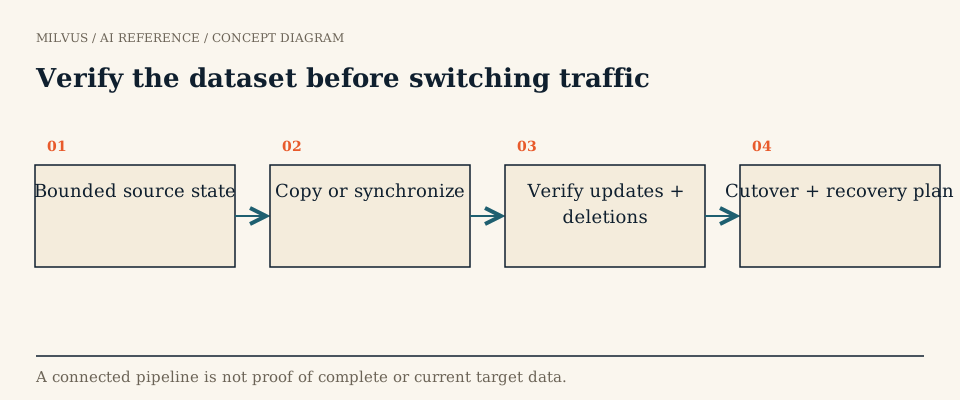 Verify the dataset before switching traffic
Which tool does what?
| Bulk import | Milvus Backup | Milvus CDC | VTS / Zilliz Migration Service | |
|---|---|---|---|---|
| Moves | Files you prepared (JSON, Parquet) | Collections, metadata, and segments from a Milvus instance | Incremental changes between Milvus clusters | Data between many vector and search systems and Milvus |
| Initial full copy | Yes | Yes | No, incremental only | Yes (batch) |
| Ongoing changes | No | No | Yes: DDL, inserts, deletes, upserts | Real-time streaming mode |
| Granularity | Collection | Database or collection | Whole cluster | Per connector configuration |
| Best for | Loading or reloading large datasets | Recovery points, environment copies, upgrades | Disaster-recovery standby, live migration catch-up | Moving from another vendor or an older system |
The rest of this page explains how each works in Milvus and how to combine them without losing or duplicating records.
Bulk import: the fastest way to load a baseline
Bulk import reads files from object storage straight into a collection, bypassing the per-row insert path. With PyMilvus you call bulk_import() with the collection name and file paths, receive a job ID, and poll get_import_progress(); the REST equivalents are /v2/vectordb/jobs/import/create and /v2/vectordb/jobs/import/describe. According to the data import guide, each file can be up to 16 GB and a single request can include up to 1,024 files. The RemoteBulkWriter helper produces correctly formatted files from your data.
One detail matters for cutover planning: imported rows are invisible to search and query until the job status is Completed. After that, load the collection, or refresh the load if it was already loaded. A dashboard showing “import submitted” is not the moment the data becomes searchable.
Backup and restore: a recoverable copy, also a migration path
Milvus Backup copies collection metadata and segment files from one instance’s object storage to a backup location, then recreates collections in a target instance on restore. That makes it a convenient way to clone a cluster for staging, or to move data across a version upgrade, within its compatibility rules: 2.2.x and 2.3.x backups restore to 2.4.x or later, 2.5.x to 2.5.x or 2.6.x, and 2.6.x to 2.6.x. The restore -s suffix lets you create the new collections alongside existing ones for side-by-side verification. The backup planning guide covers RPO, RTO, and restore drills.
A backup on its own captures nothing written after it was taken, so it cannot finish a live migration by itself.
Milvus CDC: following changes as they happen
Milvus CDC captures incremental changes from a source Milvus cluster and applies them to a target. It has two parts: an HTTP server that manages tasks and metadata, and a core library whose reader pulls changes from the source’s etcd and message queue while a writer replays them through the target’s API. It replicates:
- DDL: create and drop for databases, collections, partitions, and indexes.
- DML: insert, delete, and upsert.
- Management operations: load, release, and flush for collections and partitions.
Two limits shape every design. CDC synchronizes only incremental data, so the target needs the existing data already present. And it works at the cluster level, not per collection. Because it replays changes in order, CDC is a good fit for an active-standby disaster-recovery cluster, but for the same reason it also replays a mistaken drop or bad write. Keep backups as well.
How do you combine them for a live migration?
The hard part is the seam between the baseline copy and the change stream. A gap loses writes; an overlap duplicates them, because a standard Milvus insert does not check for existing primary keys and will create a second entity with the same key. A safe plan looks like this:
- Freeze the design. Record source collections, schemas, primary keys, index parameters, and the embedding model version. Create the target schema explicitly.
- Choose the seam. Decide how the baseline and the change stream meet, following the CDC documentation for your version, so that each write lands exactly once. If your application can write with
upsertinstead ofinsert, replaying an overlap becomes harmless. - Copy the baseline with Milvus Backup, bulk import, or a migration tool.
- Start catch-up and watch replication lag until it stays near zero.
- Validate before moving any clients (next section).
- Cut over. Pause or drain writes briefly, wait for lag to reach zero, switch the client endpoint, then resume writes on the target.
- Keep the way back. Leave the source and a backup untouched until the acceptance window passes.
For migrations between different systems, the open-source Vector Transport Service (VTS), built on Apache SeaTunnel, moves vectors and unstructured data from other vector databases, search engines, and Postgres into Milvus in batch or streaming mode. Its roadmap lists combined one-time migration plus change capture as future work, so check the current release for your source. Moving into managed Milvus, the Zilliz Migration Service runs the same technology as a managed, free service with a zero-downtime mode that keeps syncing changes during the move.
How do you validate before switching traffic?
A running pipeline proves nothing about correctness. Check the data the application actually depends on:
- Counts per collection and partition on source and target, taken at the same quiet point.
- Sampled records: fetch a random set of primary keys from both sides and compare every field, including vectors.
- Mutation tests: insert, update, and delete a few marker records on the source and confirm each change appears on the target.
- Query parity: run a saved set of searches with filters and compare top-k overlap. Small differences are expected while indexes are still building; large ones point to a missing partition, a wrong metric, or a different embedding model.
- Lag and failure behavior: restart the CDC process mid-stream and confirm it resumes without gaps.
Also check the read side: search visibility depends on the consistency level used by the validation queries, so a just-replicated record may need a Strong or Session read to appear immediately.
Related reading
- How should you plan backup and recovery for a vector database?
- How do you handle incremental updates in a vector database?
- How do you choose and validate a Milvus version upgrade?
- What does eventual consistency mean for vector search?
- How should you compare managed vector databases, BYOC, and self-hosted Milvus?
To try the import path on a small dataset first, start from the Milvus Quickstart, or move an existing workload into Zilliz Cloud with the managed migration service.