The three options differ in who owns the infrastructure and who operates the database. With a managed service (SaaS), the vendor runs everything in its own cloud account. With BYOC (bring your own cloud), the vendor operates the database, but the data plane runs in your cloud account and VPC. With self-hosted Milvus, you run and operate everything yourself. Choose based on where data is allowed to live, how much operational work your team can absorb, and how you want to pay for compute.
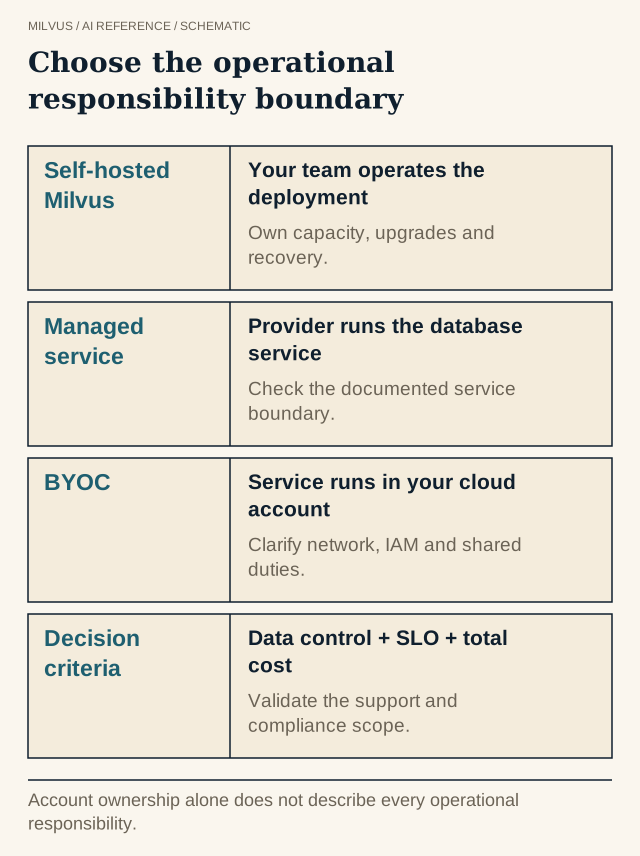 Choose the operational responsibility boundary. Account ownership alone does not describe every operational responsibility.
Managed vs. BYOC vs. self-hosted at a glance
| Managed SaaS (Zilliz Cloud) | BYOC (Zilliz Cloud BYOC) | Self-hosted Milvus | |
|---|---|---|---|
| Where data lives | Vendor’s cloud account, in the region you pick | Your cloud account and VPC | Wherever you deploy it |
| Who operates the database | Vendor | Vendor, through a control plane | Your team |
| Upgrades and patching | Vendor | Vendor | Your team |
| Infrastructure bill | Included in the service price | Paid to your cloud provider, can use your existing commitments | Paid to your cloud provider or data center |
| Network path from your app | Public or private endpoint | Inside your own network | Inside your own network |
| SLA | Plan-dependent, up to 99.99% with multi-replica on Business Critical | 99.95% | Whatever you engineer |
| Time to first cluster | Minutes, from the console | Longer: cloud account setup, permissions, approvals | Depends on your team and tooling |
| Main trade-off | Least control over the environment | Requires cloud account setup and permissions | All operating work is yours |
Each option runs the same Milvus engine and API, so application code moves between them with an endpoint change.
What does BYOC actually mean?
BYOC splits a managed database into two planes. The data plane, the clusters that store and search your vectors along with the object storage behind them, runs in your cloud account. The control plane, which handles provisioning, scaling, upgrades, monitoring, and the console, stays with the vendor and talks to the data plane over a restricted channel.
- The data plane runs on AWS, Google Cloud, or Azure in your account, and data stays within your VPC.
- You provide a VPC, an object-storage bucket, and a scoped set of permissions so Zilliz Cloud can create the Kubernetes cluster and deploy Milvus and its monitoring stack.
- Connections from the data plane to the control plane are outbound-only over port 443 with TLS 1.2 or later, so you do not open inbound ports. Data is encrypted in transit and at rest.
- RBAC applies at the organization, project, and cluster level.
- Two modes exist. In BYOC, Zilliz manages the infrastructure through cross-account role assumption. In BYOC-I, an agent in your environment connects back through an encrypted reverse tunnel and you keep full control of infrastructure changes.
According to the Zilliz Cloud plan comparison, BYOC has feature parity with the Business Critical plan and a 99.95% uptime SLA, with cross-region backup and the cluster IP allowlist not currently supported. Because the infrastructure is billed by your cloud provider, you can apply existing savings plans and committed-spend agreements, which is often a deciding factor for large deployments. The BYOC overview describes typical use cases, from regulated financial services to data-sovereignty requirements.
Which option fits which situation?
Work through these questions in order:
- Must data stay in an account you control? Regulatory, contractual, or internal security rules sometimes require that customer data never sits in a vendor’s account. If so, choose BYOC or self-hosted.
- Do you have a team that wants to run a distributed database? Self-hosted Milvus Distributed on Kubernetes means owning etcd, object storage, the message queue, upgrades, capacity, backups, and 24/7 on-call. If that is not a core competency, BYOC gives you the data location without the operating load.
- Is time to production or variable traffic the priority? Managed SaaS is the fastest start, scales without capacity planning, and has a free tier and serverless options for spiky or small workloads.
- Do you need full control over versions, patches, or custom builds, or must it run on-premises or air-gapped? Self-hosted Milvus is the only option that gives you all of that.
A common path is to prototype on managed Zilliz Cloud or Milvus Lite, then decide on the production model once the workload and compliance requirements are clear.
How do security and compliance differ?
Trace each data flow, not just the database: application requests, source documents, embeddings, logs, metrics, backups, and support access. For each, note where it is stored and who can read it.
- Managed SaaS keeps data in vendor-operated clusters with standard governance. Higher plans add controls such as private endpoints, customer-managed encryption keys (CMEK), audit logs, SSO, and HIPAA eligibility on Business Critical, according to the pricing page.
- BYOC keeps data inside your compliance boundary and lets your own network rules, identity policies, and audit tooling apply, while vendor access is limited to the control channel.
- Self-hosted gives you every control and every responsibility: authentication and RBAC, TLS, key management, and patching for CVEs.
No deployment label makes an application compliant by itself. It moves specific controls to the party that can best enforce them.
How do you compare costs fairly?
Compare at matched service targets: the same vectors, recall, p99 latency, ingest rate, and availability. Then add every cost line, not just compute.
- Self-hosted: nodes, storage, network, backups, monitoring, spare capacity for failover, plus the engineering hours to operate it.
- BYOC: your cloud bill for the data plane plus a Zilliz license that scales with capacity.
- Managed: the service bill for compute units, storage, backups, and data transfer, with almost no operating hours.
The cost comparison guide gives a worksheet, and the capacity planning guide turns a workload into node or CU counts. For self-hosted, Milvus offers three deployment modes: Lite for prototypes up to a few million vectors, Standalone on a single machine for up to about 100 million, and Distributed on Kubernetes for 100 million to tens of billions.
How do you migrate between them?
Because all three run Milvus, moving later is a data-movement problem, not an application rewrite. Milvus Backup copies collections between instances, Milvus CDC keeps a target in sync during a cutover, and the Zilliz Migration Service moves data into Zilliz Cloud with a zero-downtime mode. See bulk migration, backup, and CDC for the cutover steps.
Related reading
- How do you compare managed and self-hosted vector-search costs?
- How does the Milvus architecture separate ingestion, storage, and search?
- How do authentication, RBAC, and tenant filters protect Milvus applications?
- How should you plan backup and recovery for a vector database?
Ready to compare on your own workload? Start a free cluster on Zilliz Cloud, review plan features on the pricing page, read the BYOC documentation if data must stay in your account, or follow the Milvus installation overview to self-host.