Turn a Milvus workload into a capacity estimate in four passes: size the data (vectors, scalar fields, and index), size the serving layer for your query load and replicas, add headroom for ingestion, maintenance, and growth, then validate on a representative slice before you buy. The Milvus sizing tool does the first pass for self-hosted Milvus in seconds; for managed Milvus, Zilliz Cloud publishes how many vectors each compute unit holds per cluster type. Either way, the estimate is only as good as the workload description behind it.
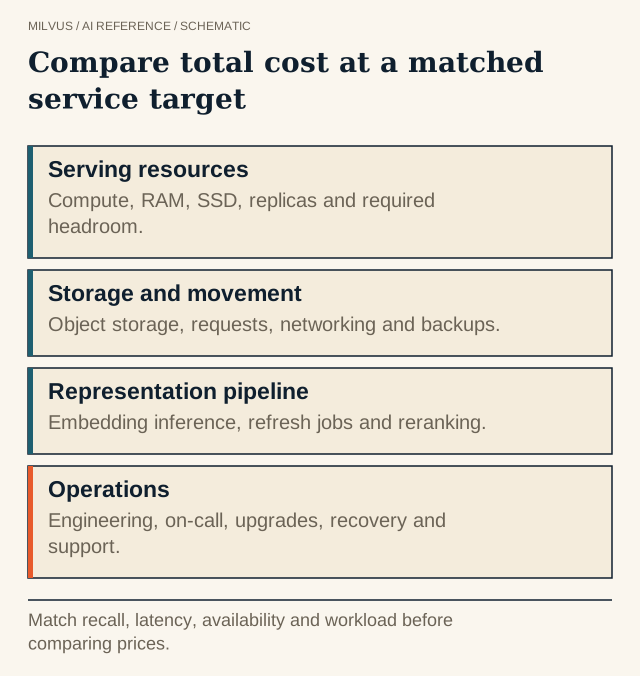 Compare total cost at a matched service target. Match recall, latency, availability and workload before comparing prices.
What inputs do you need?
Write these down before running any calculator. Most bad estimates come from a missing line here, not from the arithmetic.
| Input | Why it matters |
|---|---|
| Vector count now and in 12–24 months | Memory and storage scale with it |
| Dimension and vector type (float32, float16, int8, binary) | Bytes per vector |
| Index type and parameters | Can multiply or divide in-memory size |
| Scalar fields and average row payload | Often larger than the vectors |
| Peak QPS, top-k, filters, and recall target | Sets compute and replica count |
| p99 latency target | Decides memory-resident vs. disk or tiered |
| Insert, upsert, and delete rate | Growing segments, compaction, and index builds |
| Availability target | Replicas and spare capacity for failover |
| Number of collections, partitions, tenants | Per-collection overhead and isolation |
Pass 1: Size the data
Start with raw vectors: count × dimension × bytes per value. For ten million 1,024-dimensional float32 vectors that is 10,000,000 × 1,024 × 4 = 40.96 billion bytes, which is 40.96 GB or 38.1 GiB, before metadata, indexes, replication, and implementation overhead.
Then apply the index. HNSW keeps the full vectors in memory and adds a graph; with Milvus’s default M = 30, the bottom layer allows about 60 links of 4 bytes each, roughly 2.4 GB for ten million vectors. IVF_SQ8 stores one byte per dimension instead of four. DISKANN keeps compressed PQ codes in RAM, by default about one-eighth of the raw vector size, and the rest on NVMe SSD. The memory estimation guide has a full table, and the index selection guide covers the recall and latency side of the choice.
Separate the quantities, because they land on different resources:
- Object storage: persisted segments, index files, and backups.
- Query-node memory: loaded fields and indexes for each replica.
- Local disk: DISKANN data, mmap files, and tiered-storage cache.
- Temporary peaks: index builds, compaction, and node recovery.
Pass 2: Size the serving layer
Memory determines whether the data fits; QPS determines how many copies you need. Measure throughput for one replica at your recall and latency target, then add in-memory replicas until the peak load fits with headroom. Every replica holds a full copy of the loaded segments, so memory scales linearly with replica count. If the service needs to survive a query-node failure without a reload, plan for at least two, even when one would carry the load.
Then choose the deployment mode. The Milvus installation overview gives rough ranges: Milvus Lite for prototypes up to a few million vectors, Standalone on one machine for up to 100 million, and Distributed on Kubernetes for 100 million to tens of billions, with ingestion and search handled by separate nodes.
A worked example
This is an illustrative calculation, not a quote or a measurement.
Workload: 10 million 1,024-dimensional float32 vectors, HNSW with default M = 30, two replicas for availability.
| Line | Calculation | Result |
|---|---|---|
| Raw vectors | 10,000,000 × 1,024 × 4 bytes | 40.96 GB |
| HNSW links | 10,000,000 × 60 × 4 bytes | 2.40 GB |
| One serving copy | 40.96 + 2.40 | 43.36 GB |
| Two replicas | 2 × 43.36 | 86.72 GB |
Add loaded scalar fields, growing segments, and query working memory, then leave headroom so index builds and a node failure do not push the rest of the cluster into memory pressure. If that total is more memory than the budget allows, the levers are: a quantized index (HNSW_SQ, IVF_SQ8), DISKANN, mmap, tiered storage, half-precision or int8 vectors, or loading fewer fields.
How does this translate to Zilliz Cloud?
Zilliz Cloud Dedicated clusters are sized in compute units (CUs), and the pricing page publishes approximate per-CU capacity for 768-dimensional vectors by cluster type. At the time of writing those figures are about 2 million vectors per CU for performance-optimized, 8 million for capacity-optimized, and 40 million for tiered-storage clusters.
An illustrative first pass for 10 million 768-dimensional vectors, per replica: 10 ÷ 2 = 5 CUs performance-optimized, 10 ÷ 8 = 1.25, rounded up to 2 CUs capacity-optimized, or 10 ÷ 40 = 0.25, rounded up to 1 CU tiered-storage. Multiply by replicas for availability or throughput. Different dimensions, indexes, and filters change the result, so confirm with the pricing calculator and a trial cluster.
Pick the cluster type by latency, not just capacity. Performance-optimized targets real-time search with high concurrency; capacity-optimized trades some latency for density; tiered-storage suits very large, cost-sensitive corpora where queries can tolerate more latency. Published customer results show how this plays out: Consensus reports searching 400M+ research papers at about 45 ms p99, and moving to 4× larger vectors for 2.5× the cluster size. OpenEvidence reports sub-10 ms search latency at 4,000 QPS peak traffic.
Pass 3: Add headroom and growth
Plan capacity for the date you will next be able to change it, not for today. Add the growth from your 12–24 month projection, spare capacity to absorb a node failure, and room for index rebuilds after a parameter or model change. Re-embedding with a new model temporarily needs two copies of the vectors side by side.
Pass 4: Validate on real data
- Load a representative slice, for example 5–10% of the corpus, with real schema and index parameters.
- Measure query-node memory, disk, index build time, and ingestion rate.
- Run your real query mix at target concurrency and record p99 and recall, using the benchmarking methodology.
- Load a second, larger slice and check that resource use grows close to linearly before extrapolating.
- Store the workload, version, and measurements with the estimate so it can be revised.
Related reading
- How do you estimate memory for vector search?
- How do you compare managed and self-hosted vector-search costs?
- How should you compare managed vector databases, BYOC, and self-hosted Milvus?
- What determines vector-database scalability?
- How do batching, latency, and throughput interact in vector search?
Get a first estimate from the Milvus sizing tool, which returns memory, CPU, disk, and etcd and MinIO requirements for Standalone or Distributed mode. To skip node sizing, start a Zilliz Cloud cluster and size it with the pricing calculator; if data must stay in your own account, see Zilliz Cloud BYOC.