Serve embedding and reranking models as their own service, separate from the vector database, and treat each model version as part of your data schema. A dedicated inference server such as Hugging Face Text Embeddings Inference (TEI) or vLLM batches requests on a GPU, exposes an HTTP endpoint, and can scale independently of Milvus. When the model changes, the vectors change meaning, so a model upgrade should create a new vector field or collection and switch traffic only after it passes evaluation.
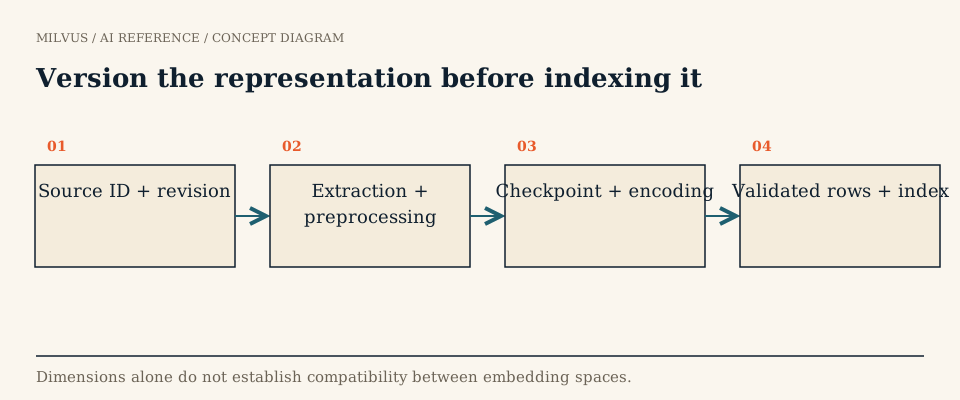 Version the representation before indexing it
Why not just call the model inside your application?
Loading a model in-process with Sentence Transformers or PyMilvus Model is the fastest way to start, and it is fine for notebooks, small batch jobs, and prototypes. It becomes painful once several services need the same model, once ingestion backfills compete with interactive queries for the same GPU, or once you need metrics and controlled rollouts. A serving layer solves those problems: one copy of the weights, dynamic batching across callers, separate capacity for online and offline traffic, and a single place to pin the model revision.
Serving does not make models interchangeable, though. TEI, vLLM, hosted APIs, and model-specific processors each support different architectures and request formats. A text-only /embed endpoint is not an image endpoint just because both return arrays of floats.
What are the main serving options?
| Option | Good fit | Things to know |
|---|---|---|
| In-process library (Sentence Transformers, PyMilvus Model, ONNX, Model2Vec) | Prototypes, offline jobs, CPU-only or edge deployments | Each process loads its own copy; no cross-request batching |
| Hugging Face TEI | Production text embeddings, rerankers, and SPLADE sparse vectors | Token-based dynamic batching, Prometheus metrics and OpenTelemetry tracing; routes include /embed, /rerank, and /embed_sparse |
| vLLM pooling models | Large decoder-based embedding and reranking models, shared GPU fleets already running vLLM | Exposes /v1/embeddings, /score, and /rerank; continuous batching helps throughput for LLM-sized encoders |
| Model-specific runtime | Multimodal and late-interaction models (page encoders, video models) | Use the model’s own processor; generic text servers may not handle its inputs |
| Hosted API (OpenAI, Cohere, Voyage, Gemini, and others) | Teams without GPUs, spiky or modest volume | Per-token cost, network latency, rate limits, and provider-side version changes |
| Milvus server-side Function | Text embedding and reranking called by Milvus itself | Milvus sends raw text to a configured provider at insert and search time |
A typical TEI deployment is a single container pointed at a model ID, with clients posting text to /embed. Pin both the container tag and the model revision so a restart cannot silently pull new weights.
How does Milvus call a model server for you?
From Milvus 2.6, you can attach a TEXTEMBEDDING Function to a collection schema. Milvus then sends raw text to the provider during insert and during search, so your application never handles vectors directly. Supported providers include OpenAI, Azure OpenAI, DashScope, Bedrock, Vertex AI, Voyage AI, Cohere, SiliconFlow, Hugging Face TEI, and Yandex Cloud. API keys live in milvus.yaml under credential, not in application code.
For a self-hosted TEI model, the Function parameters include endpoint, optional truncate and truncation_direction, max_client_batch_size (default 32), and, when the model uses prompts, ingestion_prompt and search_prompt (for example "passage: " and "query: "). Getting those prompts right matters: many retrieval models are trained with different prefixes for queries and documents.
Reranking works the same way. A RERANK Function with "reranker": "model" and a provider such as tei or vllm lets Milvus call the reranker during search; the vLLM provider adds truncate_prompt_tokens to cap input length. See the reranking model catalog for a code example and for the client-side alternatives.
Server-side Functions keep application code simple; client-side encoding gives you full control over batching, retries, and non-text inputs. Many teams use Functions for text search and a separate pipeline for images or page encoders. The trade-offs are compared in your options for generating embeddings alongside Milvus.
Define the endpoint contract
Whatever runtime you choose, write down everything that changes the output vector, and store it with the collection:
- model ID and exact revision, plus tokenizer or processor version
- query and document prompts or instructions
- pooling method, normalization, and output dimension (including any Matryoshka truncation)
- maximum input length and truncation side
- for images and video: resolution, frame sampling, and how mixed inputs are serialized
A useful smoke test is to send the same fixture through local inference and the served endpoint, then compare dimensions and cosine similarity. Small numerical differences from precision or batching are normal; large ones usually mean a wrong pooling setting or a missing prompt.
Separate online queries from offline backfills
Query encoding is latency-sensitive: one short text, a strict P95 target, and traffic that never stops. Document encoding is throughput-oriented: millions of passages, large batches, and tolerance for minutes of delay. Running both on the same replicas lets a backfill starve interactive search. Give them separate deployments or at least separate queues and rate limits.
For backfills, process from stable source IDs so a job can resume after failure, and track four counts separately: documents read, documents encoded, vectors written to Milvus, and documents skipped with a reason. A job that “completed” while silently dropping oversized inputs is a common source of missing results. Insert into Milvus in batches sized to your write throughput; the guide to scalable embedding pipelines covers distributed backfills.
Version the index with the model
Vectors from two different models, or two revisions of one model, live in different spaces even when they share a dimension. Upgrading a model is therefore a data migration:
- Create a new collection (or a new vector field) for the new model, with the model revision recorded in its description or metadata.
- Backfill it from the source data while the old collection keeps serving.
- Run held-out queries against both, with the same filters, and compare recall, nDCG, latency, and storage. The retrieval-evaluation guide explains how.
- Decide how writes that arrive during the backfill reach the new collection, usually by dual-writing.
- Switch traffic with a collection alias, then retire the old collection after a rollback window.
client.create_alias(collection_name="docs_model_v1", alias="docs")
# ...after docs_model_v2 is backfilled and validated:
client.alter_alias(collection_name="docs_model_v2", alias="docs")
Because applications query the alias, the switch is a single metadata change and rollback is the same call in reverse. Treat rerankers the same way: pin the model and input serialization, and re-tune any score thresholds after changing them.
Reliability checklist
Set request timeouts and bounded retries with backoff on every model call, and make inserts idempotent by primary key so retries do not create duplicates. Alert on encoder error rate and queue depth, not only on Milvus latency, because a failing encoder looks like “search got worse” from the outside. Keep a small canary query set that runs after every deployment to catch silent output changes.
Related reading
- What does the released Milvus Model library actually support?
- What are your options for generating embeddings alongside Milvus?
- How do you choose and validate a Milvus version upgrade?
- How do you handle incremental updates in a vector database?
To try server-side embedding end to end, follow the embedding Function overview. If you would rather not operate model servers and Milvus clusters yourself, Zilliz Cloud runs managed Milvus.
Sources and further reading
- Hugging Face Text Embeddings Inference
- vLLM pooling models documentation
- Milvus: embedding Function overview
- Milvus: Hugging Face TEI embedding provider
- Milvus: Model Ranker overview
- Milvus: vLLM ranker
- Milvus: manage aliases
- Milvus: embedding overview
- TEI embedding client interface (milvus-model v0.3.4)
- TEI reranking client interface (milvus-model v0.3.4)
- Model-specific serving instructions (WeMM-Embedding)